
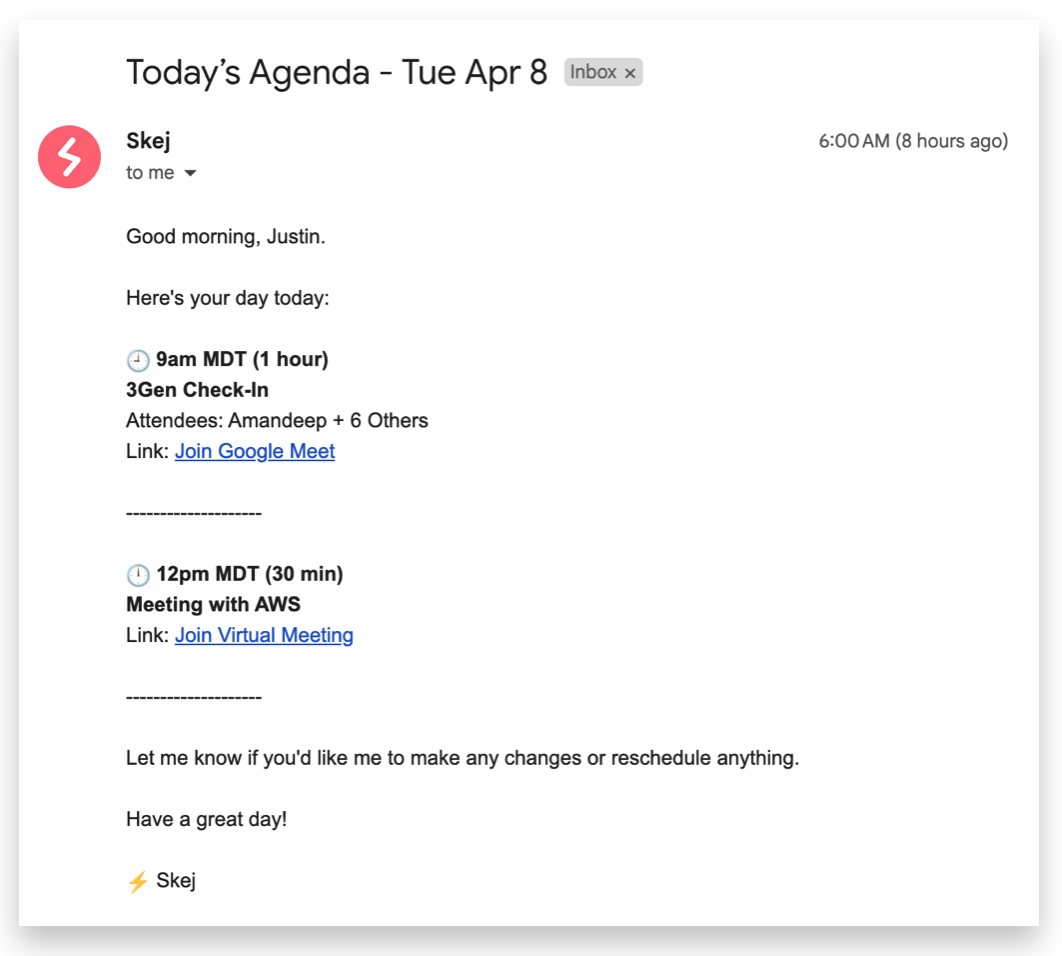
Each morning at 6am local time, Skej will email you an actionable Daily Agenda. This agenda provides you with a glance at what your day looks like, and gives you the opportunity to ask Skej to make changes or modifications.
Agenda Contents
Your agenda includes the following information for all events in your calendar:
- Start time + duration
- Link to join (if virtual) or location (if in-person)
- Event title
- Attendees
Agenda Settings
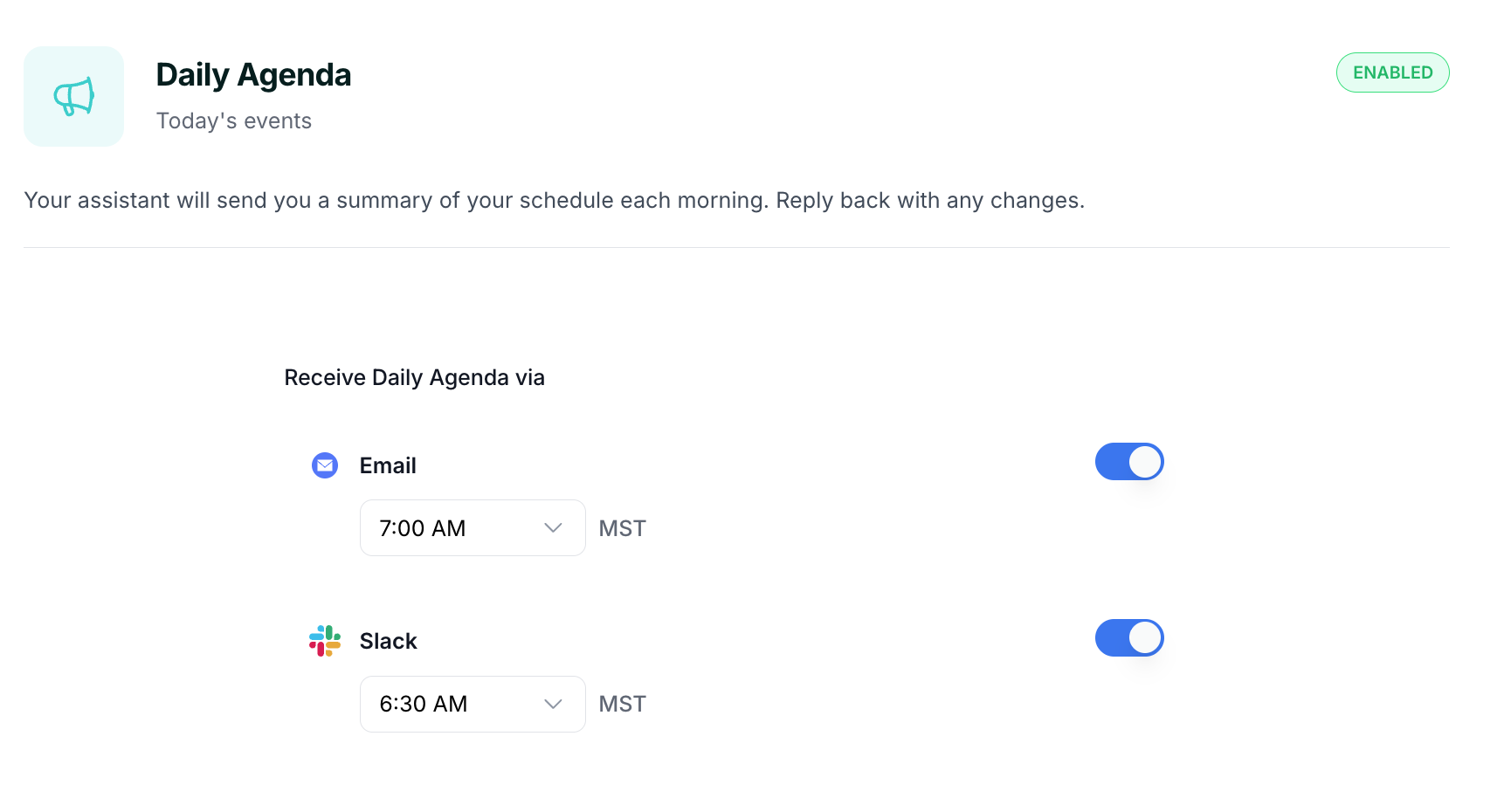
You can adjust your preferences through the Notifications dashboard, including timing and delivery channels (email, Slack, etc.). Agendas can be disabled entirely and the delivery time can be customized.
Taking Action
If you want to make changes on any event listed, all you have to do is respond to Skej (either via email or Slack) with your request. You can ask Skej to reschedule, cancel or modify any meetings.